
Working hours
Working hours set the range of hours shown in the calendar – the hour at which each day's rows start and the hour at which they end. The setting applies to the whole company, so to all users.
Who can see this
Every user with access to Settings (all roles except Warehouse clerk). Because the change affects the whole company, agree it with an administrator before changing the hours.
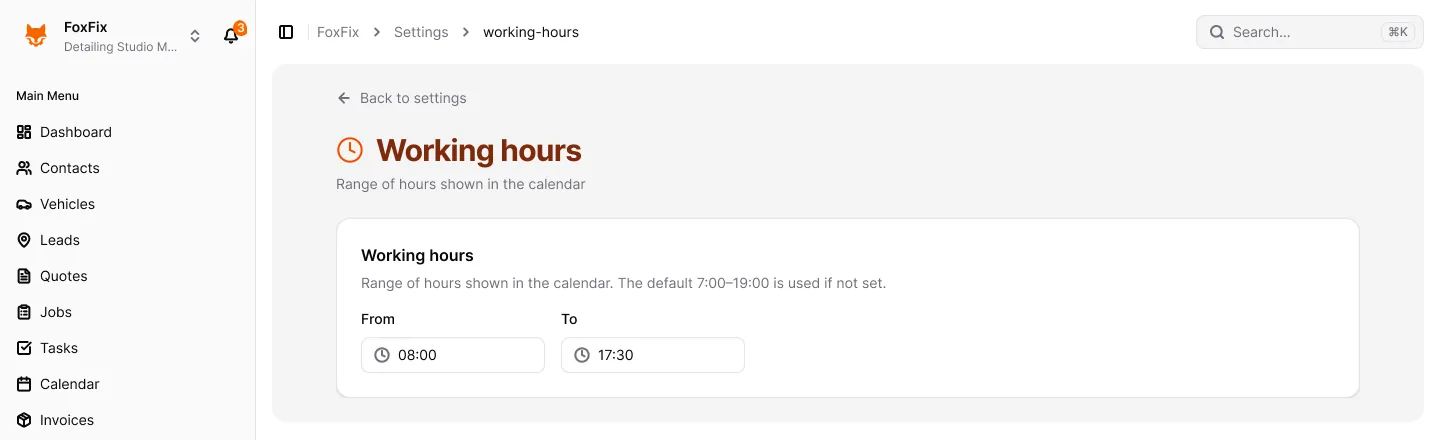 (opens the full-size image in a new tab)
How to set working hours
- Open Settings → Working hours.
- In the From field, enter the start of the day, for example 08:00.
- In the To field, enter the end of the day, for example 18:00.
- Click outside the field. The value saves itself and the message “Saved” confirms it. The page has no save button.
Until you set anything, the default range 7:00–19:00 applies.
- The calendar works with whole hours. If you enter 17:30, for example, the day is shown until 17:00 – so enter whole hours.
- The end must be later than the start. Otherwise the calendar uses the default range of 7:00–19:00.
Events outside working hours
Working hours only change what the calendar shows. They do not limit when you can schedule events, tasks or jobs. However, anything outside the set range will not be visible in the day and week views with a timeline – if you often schedule early in the morning or in the evening, widen the range.