
Units
FoxFix has one list of units that applies to stock, the catalogue, the service price list and B2B sales. On the Units page you choose which units from the list your company offers and in what order they appear in pickers. Units outside the list cannot be entered.
Who can see it
- Admin, Managing director and CFO – switch units on and off and change their order.
- Branch manager – can only read the list.
- Other roles – do not see the Units row in Settings.
The page belongs to assortment management. It can be changed by anyone who has the right to configure for the whole company in the “Assortment · warehouses and bins” row of Settings → Roles and permissions.
Open the page in Settings → Units. It is part of the November 2026 update and appears once your company has it switched on.
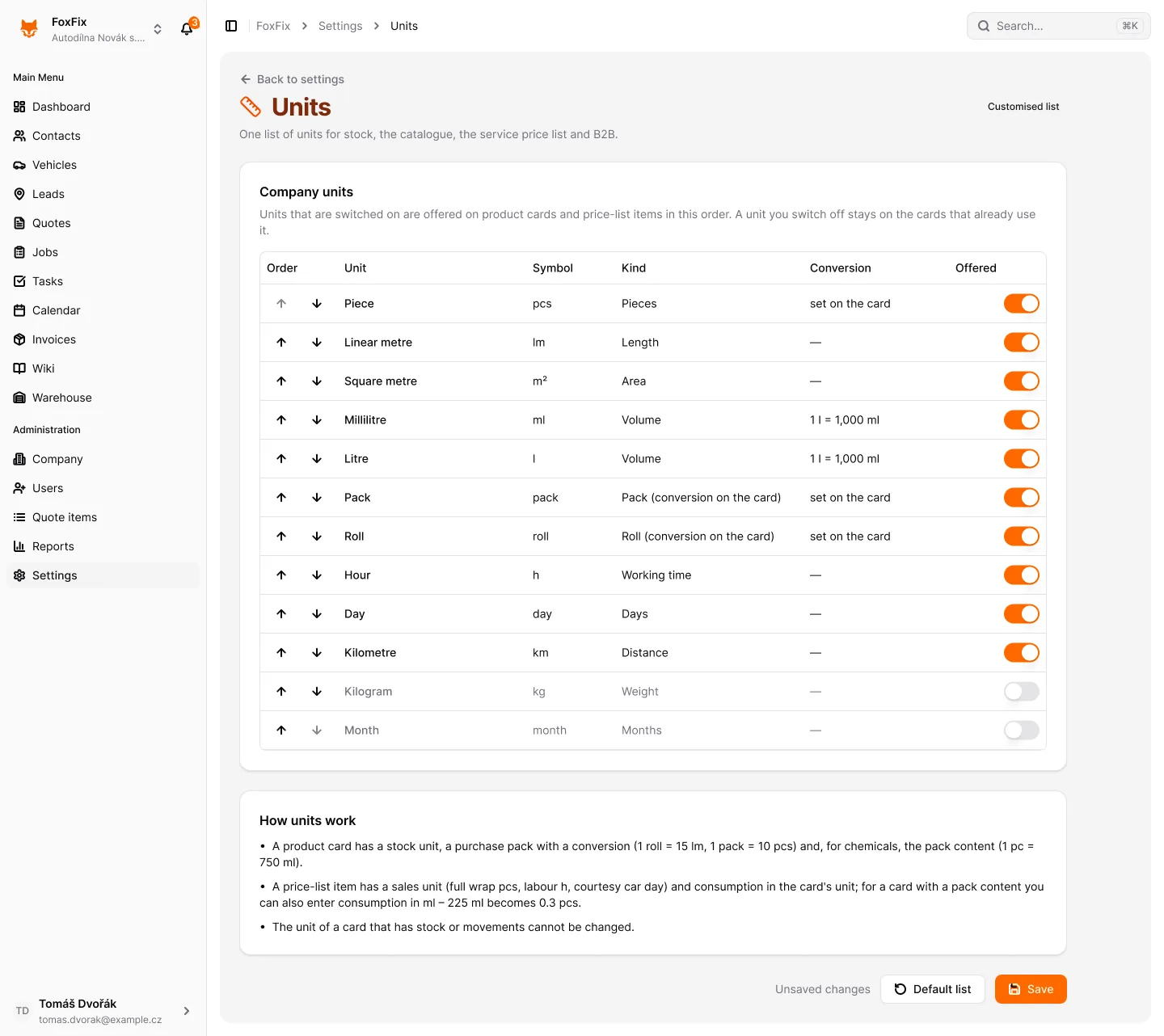 (opens the full-size image in a new tab)
The list of units
| Unit | Symbol | Kind | Conversion |
|---|---|---|---|
| Piece | pcs | Pieces | set on the card (pack content) |
| Linear metre | lm | Length | – |
| Square metre | m² | Area | – |
| Millilitre | ml | Volume | 1 l = 1,000 ml |
| Litre | l | Volume | 1 l = 1,000 ml |
| Kilogram | kg | Weight | – |
| Pack | pack | Pack | set on the card |
| Roll | roll | Roll | set on the card |
| Hour | h | Working time | – |
| Day | day | Days | – |
| Kilometre | km | Distance | – |
| Month | month | Months | – |
Only volume has a fixed conversion (millilitres and litres). How many pieces are in a pack, how many linear metres are in a roll and how many millilitres are in one piece is set on each product card. A kilometre of transport is never converted to linear metres of film, and a rental day is never converted to working hours.
Which units your company offers
The table shows all 12 units. Units that are switched on are at the top in the order in which they are offered; units that are switched off are below them.
- Use the Offered switch to switch a unit on or off. At least one unit has to stay switched on.
- Use the arrows in the Order column to move a unit up or down.
- Click Save.
A unit you switch off is no longer offered for new cards and items. Cards and items that already use it keep showing and saving it – nothing is recalculated.
The Default list button brings back all 12 units in their original order. The label next to the page title tells you whether your company has the Default list or a Customised list. Every change is written to the settings history (who, when, what).
Units on a product card
A product card has:
- a stock unit – stock is kept and issues are deducted in it;
- a purchase pack with a conversion – for example 1 roll = 15 lm or 1 pack = 10 pcs;
- for chemicals, tapes and packed pieces, the pack content – for example 1 pc = 750 ml. Chemicals are kept in pieces, not in millilitres.
In the Edit card form, the Unit field offers the units your company has switched on and always the unit the card already has.
The unit of a card with stock cannot be changed
If the card has stock or a reservation in any warehouse, or already has any stock movement, the Unit field is locked and the reason is shown below it. When FoxFix cannot check the card's stock, it also keeps the unit locked.
Units on a price-list item
A price-list item has a sales unit – a full wrap in pcs, labour in h, a courtesy car in days, transport in km, storage in months, film in lm – and the material consumption in the card's unit. For a card with a pack content you can also enter consumption in the content unit: 225 ml of polishing paste on a card with 1 pc = 750 ml becomes 0.3 pcs. FoxFix does not allow any other consumption unit.